YouTube Kids
- 4.2
- Rating
- 500.00M
- Installs
- Free
- Price

 Analysis by App-foxy
I spent time with YouTube Kids as a family entertainment app, and my main impression is that it works best as a simpler viewing space for children rather than as a complete replacement for ordinary YouTube. The interface is designed to feel approachable, the content is presented with younger viewers in mind, and the free entry point makes it easy for a parent to test without committing money. At the same time, the app still needs adult attention because a child-friendly presentation does not remove every judgment call around what a particular child should watch.
That distinction matters. I would not describe this as an app that lets parents step away entirely. I see it more as a tool that reduces some of the friction of choosing videos, especially when a child wants to browse independently. Used with sensible supervision and clear household rules, it can be convenient. Used as an automatic babysitter, it is much less convincing.
How the viewing experience feels in everyday use
YouTube Kids belongs to the entertainment category and is developed by Google LLC. It is free to use, which gives it an immediate advantage over children’s services that require a subscription before a family can see whether the experience suits them. The app is rated for Everyone, and it was released on February 23, 2015, so it has had time to become a familiar option for parents looking for a dedicated children’s video environment.
In-Depth Coverage of YouTube Kids
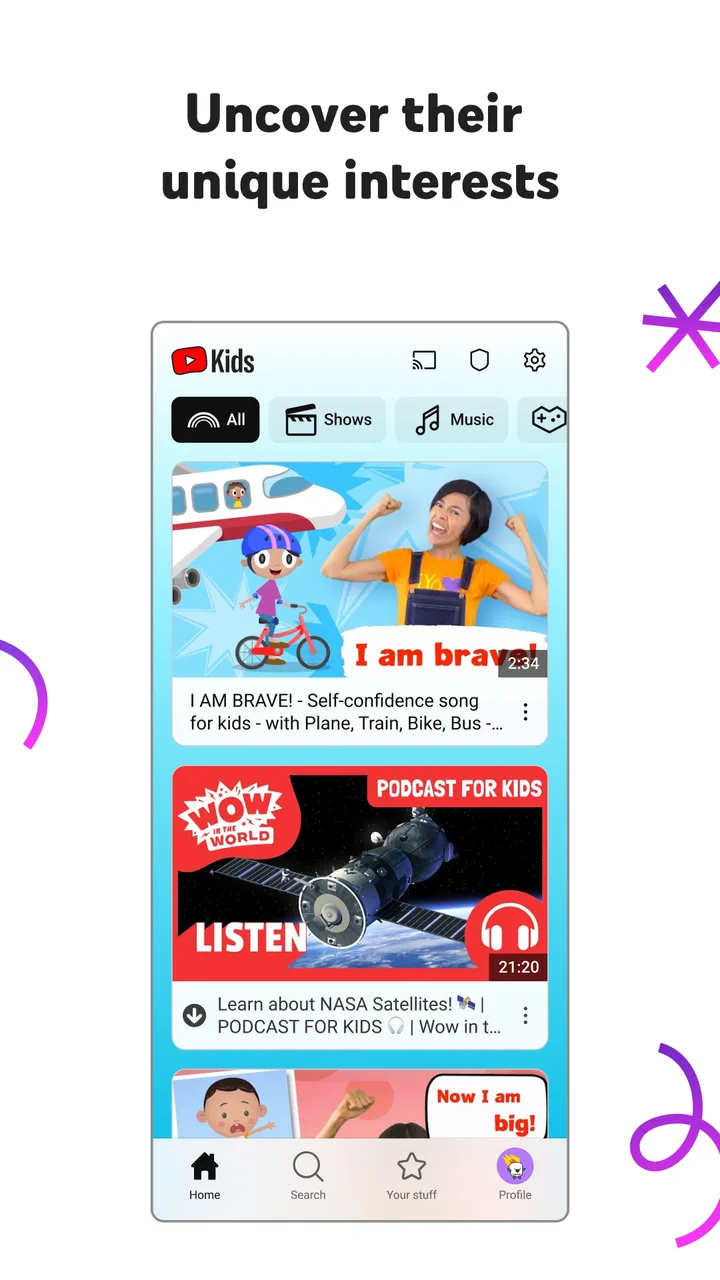
In my experience, the strongest part is the reduced visual complexity. A young child is less likely to be confronted with the full density of a general video platform. Large visual choices and a more playful presentation make browsing feel less intimidating, particularly for children who are not yet comfortable reading long menus. That makes a difference during ordinary moments such as breakfast, a quiet afternoon, or a short period when a parent needs to prepare dinner.
A realistic example is a parent handing over a tablet for twenty minutes while staying nearby. The child can choose something without navigating the broader world of standard YouTube, while the adult can still check what is playing and remain available. The app is useful in that narrow, practical role: it creates a more focused starting point for children’s viewing instead of asking them to search through an adult-oriented service.
I also found that the app’s value depends heavily on the child’s age, reading ability, and habits. A preschooler may benefit from the simplified design, while an older child who already knows exactly which creators or subjects they want may find the experience restrictive. The same interface that feels reassuring to a younger viewer can feel childish to a child approaching the regular YouTube audience.
What the free access really means
The cost question is refreshingly straightforward: the application itself is free. That means a family can install it and judge the experience without paying an entry fee. I would treat that as free access to the app, not as a promise that every possible viewing experience or family need is covered. The practical value comes from how well the available environment fits your child, not from a paid package or a guaranteed substitute for every other children’s media option.
Because there is no purchase decision at the starting line, the sensible approach is to try it during a normal routine rather than making assumptions from the name alone. Watch how your child chooses videos, whether the controls are understandable, and whether the available material matches your household’s standards. If the app does not fit, you have not paid for a long-term commitment; if it does fit, the free model is a meaningful benefit for families managing several entertainment expenses.
The app has a 4.2 average from around 3.3 million ratings, and it has passed over 500 million installs. Those figures suggest broad use, but they do not tell me whether it will be right for a specific child. Families differ widely in preferred languages, educational expectations, tolerance for promotional content, and willingness to supervise. Popularity is useful context, not a substitute for checking the experience yourself.
Where it delivers genuine value
The clearest benefit is separation. A child opening a dedicated children’s app is starting in a different environment from an adult opening the main video platform. That separation can make a shared device easier to use because the child does not have to begin from a parent’s recommendations, subscriptions, or viewing history. It also gives parents a more natural place to establish a “this is the app you use for videos” rule.
Another useful point is independence with boundaries. Children often want to choose for themselves, and constant adult searching can turn a relaxing activity into a negotiation. The app gives them room to make choices while keeping the experience more age-oriented than the general platform. I especially see value for families with younger children who enjoy short videos, songs, stories, demonstrations, and simple interest-based viewing but are not ready for unrestricted browsing.
You May Also Like

 Hill Climb Racing
Why Hill Climb Racing Still Turns Crashes Into One More Run
A tiny car, a bumpy hill and one more upgrade: Hill Climb Racing keeps resurfacing because its simple chaos makes every near-miss feel personal.

 AliExpress - Shopping App
AliExpress Makes Global Shopping Feel Personal, but Shoppers Bear the Risk
AliExpress turns a global marketplace into a pocket-sized discovery engine. Its reach is useful, its shopping loop compelling, and its trade-offs easy to miss.

 Lords Mobile: Kingdom Wars
Lords Mobile Is a Kingdom-Building Routine, Not a Quick Match
A case-by-case verdict on the building, battles, device demands, and social commitments that make Lords Mobile rewarding for some players and exhausting for others.

 PDF Scanner app - TapScanner
TapScanner Makes Paperwork Easier to Capture, Check, and Share
TapScanner makes scanning with a phone feel less like a rescue operation and more like a dependable step in getting work done. Its capture tools are useful, though not flawless.

 Block Blast!
Block Blast! Shows How Much a Puzzle Game Can Leave Out
A quiet grid game shows why puzzle players increasingly value instant clarity, repeatable skill and low-pressure play—and where the genre still needs to catch up.

 Family Space
Family Space Review: A Shared Routine That Makes Family Life Easier
A parenting app earns its place not by adding more noise, but by making everyday coordination easier. Family Space gets that balance mostly right.
More From Our News Desk
View All News


There is also a practical advantage for households sharing devices between siblings. A younger child can use the children’s app while an older family member uses a different service, reducing the chance that one child’s viewing session becomes mixed with another person’s recommendations. This is not a complete household media-management system, but it can make the division of device time less confusing.
One non-obvious trade-off is that convenience can hide how much curation work remains with the parent. A colorful child-focused interface may create a stronger feeling of safety than the actual viewing decision deserves. I recommend treating every new interest as a chance to review what appears, especially when a child moves from familiar nursery material to broader entertainment. The app can narrow the starting point, but it should not replace conversation about what is appropriate.
Controls, routines, and the parent’s role
The most effective way I would use the app is as part of a routine. Before handing over the device, I would decide the viewing context: a short independent session, a shared family activity, or a specific type of content such as songs or stories. That small decision helps prevent endless browsing, which can be tiring for both children and adults even when the videos themselves are suitable.
I would also keep the device in a common area for younger children. This is not because the app is unusable alone, but because proximity makes it easier to notice when a child is confused, frightened, or moving toward material that does not match the family’s expectations. A parent who listens for questions and occasionally looks at the screen can get much more value from the app than one who relies only on the label “Kids.”
A useful workflow is to test the app together first. Let the child show you how they browse, observe which visual choices attract them, and explain a simple rule for asking for help. This reveals whether the interface is genuinely easy for that child rather than merely easy for an adult to understand. It also gives the parent a chance to spot whether the available selection is too narrow, too repetitive, or simply not interesting enough.
Families should also think about offline expectations. If a child needs guaranteed access during travel, in a waiting room, or somewhere with unreliable connectivity, I would not assume that this app alone solves that problem. Plan around the actual viewing situation and test the setup before leaving home. That is a more reliable approach than discovering during a journey that the desired entertainment is not ready when needed.
Where it falls short compared with alternatives
The usual alternative is the main YouTube app, which offers a much wider range of creators, subjects, and mature viewing options. That breadth is valuable for teenagers, adults, and children with very specific interests, but it also creates a busier and less controlled starting point. I prefer the children’s app for younger viewers who need a simpler environment; I prefer the regular service when an older user needs the full catalog and already has strong media judgment.
Another alternative is a subscription-based children’s streaming service. Those services may appeal to parents who want a more deliberately packaged library, fewer open-ended choices, or a viewing experience built around known shows. The trade-off is that paid access changes the value calculation. Since this app is free, it is easier to experiment with, but families comparing it with a paid service should judge the actual catalog, supervision needs, and household habits rather than assuming that free automatically means better value.
Compared with television channels or preselected playlists, the app offers more choice but also more responsibility. A fixed playlist can be calmer for a very young child who becomes overstimulated by browsing. On the other hand, a fixed selection can become repetitive or fail to match a child’s changing interests. I see YouTube Kids as the middle option: more flexible than a handpicked queue, but not as deliberately bounded as a tightly curated service.
The main friction is that “for kids” is not the same as “perfect for every kid.” Children vary in sensitivity, attention span, language development, and ability to stop watching. Some will navigate happily; others may keep moving from one attractive choice to the next and struggle to end the session. If your priority is a tightly controlled schedule with almost no browsing, a more closed platform or parent-selected media may be a better fit.
Who is likely to get the most value
I think the app is strongest for parents of younger children who want a free, recognizable place to begin video viewing. It suits households that share devices, need a simpler interface, or want a child to make limited choices without opening the entire general-purpose platform. It can also help when adults want to participate less in every individual selection while remaining close enough to supervise.
It is less suitable for families seeking a fully curated educational library, a guaranteed calm viewing experience, or a service designed mainly for older children. It is also not my first recommendation for a child who already finds children’s interfaces embarrassing or limiting. In that case, a carefully managed regular video account or a different age-appropriate service may feel more respectful and practical.
Parents should ask themselves a few simple questions before settling on it. Does my child understand when to ask for help? Am I comfortable checking the viewing environment from time to time? Do I want broad choice, or would a smaller fixed library be easier? Will the app be used for occasional entertainment or long daily sessions? The answers matter more than the large install count or the fact that the app is well known.
For a family with two children at different stages, I would avoid treating the app as a universal solution. It may be excellent for the younger child and too limited for the older one. Separate expectations are often better than forcing both children into the same viewing space. The free price makes that experiment easy, but the household still needs a clear plan for which child uses which service and when.
My final recommendation
I recommend YouTube Kids when you want a free first step toward more age-focused video browsing, especially for younger children and shared family devices. Its value is practical rather than luxurious: it makes the beginning of a viewing session simpler and gives children some independence without immediately placing them in the full general YouTube environment.
I would skip it as the sole answer if you need strict curation, guaranteed educational quality, or a platform that requires almost no adult involvement. I would also look elsewhere for older children who need the broader range and less childish presentation of a standard video service. Those are not flaws so much as boundaries around what this app is trying to do.
My honest verdict is positive but conditional. Install it because it is free, test it with your child, and build a small supervision routine around it. Do not install it expecting the label to make every decision for you. For the right age group and the right household habits, YouTube Kids is a useful, low-risk starting point for children’s entertainment; for families wanting a completely closed and carefully programmed library, another option will probably deliver better value.
Google LLC has made an app that is easy to try and broadly accessible, which explains why it has become such a familiar choice. The important question is not whether it is popular, but whether its balance of choice and supervision matches your child. If that balance works in your home, the free access is a real advantage. If it does not, moving to a more curated or more mature alternative is the sensible decision.
FAQs for YouTube Kids
01What content is available on YouTube Kids?
YouTube Kids offers a wide range of content designed for children, including educational videos, cartoons, music, and more. The platform curates content from YouTube, making it appropriate for young audiences. Parents can also customize the content their children can see, ensuring a safe and entertaining experience.
02How does YouTube Kids ensure safety for children?
YouTube Kids provides several safety features to protect children, including parental controls, a timer to limit screen time, and content filters. The app uses algorithms to filter out inappropriate content, but parents are encouraged to review and block videos or channels to further ensure their child’s safety.
03Can parents control what their children watch on YouTube Kids?
Yes, parents have significant control over what their children watch on YouTube Kids. They can set up profiles for each child, customize content settings, and block specific videos or channels. Additionally, parents can set a timer to manage how long their children spend on the app each day.
04Is YouTube Kids free to use?
YouTube Kids is free to download and use, but it does include advertisements. Parents can opt for a YouTube Premium subscription to remove ads and access additional features like offline viewing. This subscription applies to both the main YouTube platform and YouTube Kids.
05What age group is YouTube Kids designed for?
YouTube Kids is primarily designed for children aged 3 to 12. The app features age-appropriate content and has different settings to cater to various age groups within this range. Parents can adjust these settings to match their child’s maturity and interests.
Pros
- Child-friendly interface is easy to navigate.
- Parental controls offer customizable safety.
- Variety of educational content available.
- Offline viewing for long trips or no Wi-Fi.
- Regular updates with new kid-friendly content.
Cons
- Limited content for older children.
- Ads can be distracting despite filters.
- Some videos may bypass safety filters.
- Requires internet for most features.
- Parental setup can be time-consuming.

YouTube Kids
Gallery